Using Carrd Analytics
Requires Pro Standard or higher
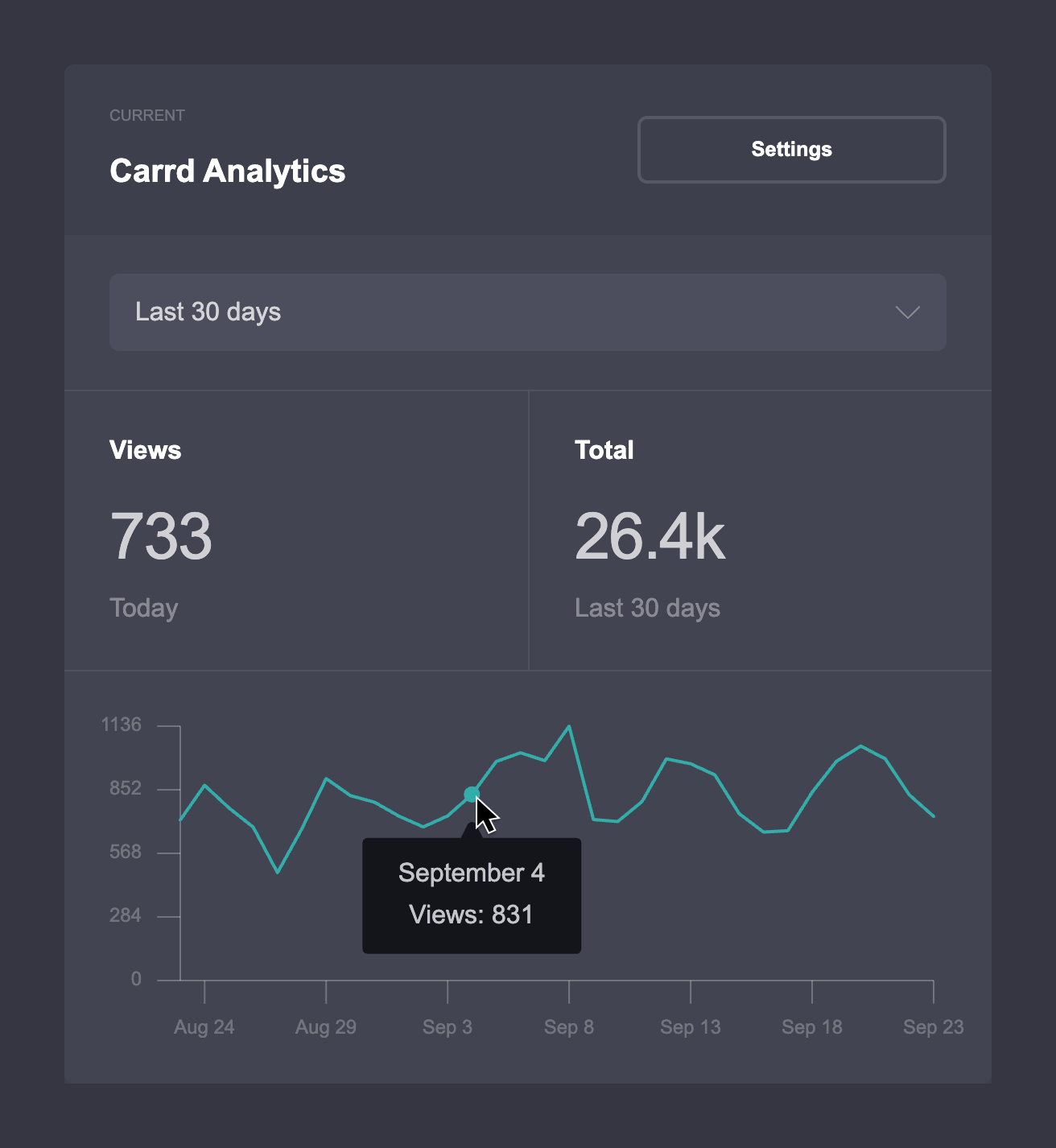
Carrd Analytics is Carrd's native, cookie-free analytics service. It provides basic traffic reporting directly within the dashboard, including views over a selected period and a graph to visualize viewing trends.
Enabling Carrd Analytics
Open the Dashboard.
Locate the site on which you wish to enable Carrd Analytics, then click its Manage icon.
In the sidebar, click Analytics.
Under Site Analytics, click Select Provider
Select Carrd Analytics from the Provider dropdown.
Click Enable
You're done! Carrd Analytics will now begin tracking views for the site.
You will see a "No data yet" message over the graph until enough views have been tracked.
Viewing Carrd Analytics
Once enabled, Carrd Analytics can be accessed directly via a site's Analytics tab (under Site Analytics). The reporting period dropdown can be used to switch between periods of the Last 24 hours, the Last 7 days, and the Last 30 days (the default), which will update both the counts and the graph with views from those periods. Hovering over a point on the graph will show the number of views tracked for that particular point and its corresponding date and/or time.
What Are Views?
Carrd Analytics only tracks Views, where each "view" represents a single load of a site by a visitor (with presumed duplicate views within a short period automatically filtered out). Because of how views have to be calculated, they should be treated as a general measure of a site's traffic rather than a precise measurement of unique visitors or sessions. If more detailed reporting is required, or if a site would benefit from more advanced capabilities such as conversion and traffic source tracking, switching to one of our other supported site analytics providers is recommended.
How Tracking Works
Because Carrd Analytics is entirely native to the Carrd platform, it does not use cookies, client-side browser storage mechanisms, or external scripts and libraries to track views. When enabled on a site, Carrd Analytics processes a limited amount of that site's visitor data to help prevent duplicate views from being tracked, then automatically deletes that data after a short period of time. Only aggregate view counts are actually retained for the long term (and even then, only for the purpose of reporting). When Carrd Analytics is disabled on a site, those aggregate view counts are also deleted.